
Payment integration
Get paid every way your customers pay
We connect M-PESA, Airtel Money, cards, banks and 56+ other payment methods to your website, app or business system. Every payment is confirmed, matched to the right order or invoice and recorded in your books, with no more checking SMS messages by hand.
- M-PESA STK Push, Paybill, Till and payouts
- Cards, Apple Pay and Google Pay
- Bank APIs and PesaLink
- Mobile money across Africa
Methods









- Banks
Gateways
Payment integration
M-PESA, Airtel Money, bank and card payments in one place.
- Based in Nairobi
- Building since 2017
- Clients in 13+ countries
- payment methods we connect
- 60
- payment methods we connect
- categories, from M-PESA to crypto
- 7
- categories, from M-PESA to crypto
- M-PESA Daraja APIs we build with
- 8
- M-PESA Daraja APIs we build with
- dashboard for every payment
- 1
- dashboard for every payment
Payment methods
60 ways to get paid
Mobile money for Kenyan customers, cards and wallets for everyone, and regional and international options when you sell further. If a provider has an API, we can usually connect it.
Mobile money in Kenya
How most Kenyans pay. Prompts on the customer's phone, Paybill and Till payments, and payouts.
- M-PESASTK Push, Paybill, Till, payouts
- Airtel MoneyCollections and disbursements
 T-KashTelkom Kenya mobile money
- M-PESA GlobalPayments from M-PESA users abroad
Banks and bank transfers
Instant and scheduled bank transfers, bank APIs, and reconciling deposits against invoices.
 PesaLinkInstant bank-to-bank transfers
- Equity Jenga APICollections, payouts, account data
- KCB BuniKCB's open banking APIs
- Co-op Bank APIsCo-operative Bank collections and payouts
- NCBA, Absa, Stanbic, I&MBank APIs and statement files
- RTGS and EFTHigh-value and bulk transfers
- Bank depositsMatched to invoices automatically
Cards and digital wallets
Card checkout through PCI-DSS certified gateways, so card numbers never touch your servers.
- VisaDebit, credit and prepaid
- MastercardDebit, credit and prepaid
- American ExpressCorporate and travel cards
- UnionPayCards issued in China and Asia
 MaestroDebit cards
 Diners ClubCharge and travel cards
 DiscoverUS-issued cards
 JCBCards issued in Japan
- Apple PayOne-tap checkout on iPhone and Mac
- Google PayOne-tap checkout on Android and Chrome
 Samsung PayWallet payments on Samsung phones
Payment gateways in Kenya and Africa
One integration, many methods. We help you pick the gateway whose fees, payout times and coverage suit you.
 PaystackCards, M-PESA, Apple Pay, bank transfer
 Kopo KopoM-PESA collections for merchants
 IntaSendCollections, payouts and wallets
 PayHeroM-PESA collections, wallets and payouts
 TinyPesaM-PESA STK Push for developers
 PaynectaM-PESA payments for online stores
 DPO PayCards and mobile money across Africa
 Cellulant (Tingg)Checkout across African markets
 PesapalM-PESA, Airtel, cards in one checkout
 FlutterwavePan-African cards and mobile money
 iPay AfricaKenyan multi-method gateway
Mobile money across Africa
Selling regionally? Collect in local currency from the wallets people already use.
 MTN MoMoUganda, Rwanda, Ghana, Zambia and more
- Airtel MoneyUganda, Tanzania, Zambia, Malawi, DRC
 Vodacom M-PesaTanzania, DRC, Mozambique, Lesotho
 Orange MoneyWest and Central Africa
 Mixx by YasTanzania (formerly Tigo Pesa)
- EcoCashZimbabwe
 WaveSenegal, Côte d'Ivoire and more
 Chipper CashCross-border wallet payments
International payments
For customers abroad, foreign-currency invoices, and SaaS products selling worldwide.
- StripeCards, wallets and subscriptions
- PayPalCheckout and invoices worldwide
 AdyenEnterprise card processing
 BraintreePayPal's card and wallet platform
 SquareIn-person and online payments
 PaddleMerchant of record for software
 WiseMulti-currency accounts and payouts
 PayoneerCross-border receiving and payouts
 Revolut BusinessMerchant payments and accounts
 KlarnaBuy now, pay later
 SumUpCard readers and payment links
 SEPAEuro bank transfers and direct debit
 AlipayCustomers from China
 WeChat PayCustomers from China
Crypto and stablecoins
Accepted through licensed providers that settle to you in shillings or dollars, if your business needs it.
 USDT (Tether)Dollar stablecoin
 USDCDollar stablecoin by Circle
 BitcoinOn-chain and Lightning
 Binance PayPayments from Binance users
 Coinbase CommerceCrypto checkout
M-PESA, done properly
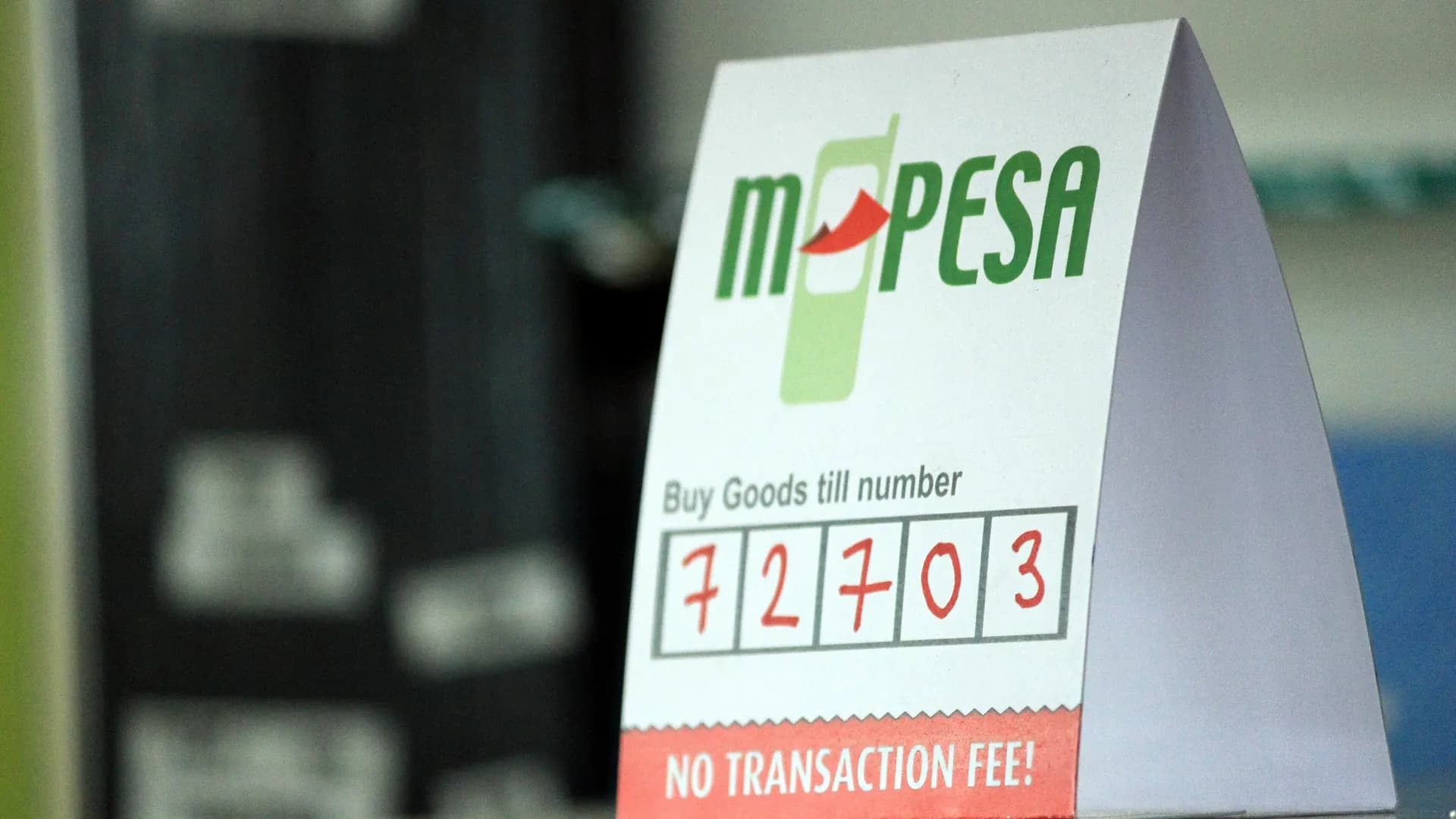
Most Kenyan payments start on M-PESA, so it gets the most care. We build on Safaricom's Daraja APIs and handle what usually goes wrong: missed callbacks, wrong account numbers, duplicate confirmations and payments that need reversing. Collections, payouts and business payments run from one system, on your own Paybill or Till.
- M-PESA Express (STK Push)The customer gets a PIN prompt on their phone. No typing Paybill numbers, no mistakes.
- Paybill and Till (C2B)Payments made from the M-PESA menu are checked against the account number and recorded instantly.
- Payouts (B2C)Send money to phones: salaries, refunds, commissions, loans and winnings, one by one or in bulk.
- Business payments (B2B)Pay suppliers' Paybills and Tills straight from your system.
- Dynamic QR codesA QR code per order or counter that opens a ready-filled M-PESA payment.
- M-PESA RatibaStanding orders for subscriptions, rent, fees and loan repayments.
- Bill ManagerSend invoices and reminders that customers pay from M-PESA.
- Status, balance and reversalsConfirm a payment when a callback goes missing, check balances and reverse mistakes.
What we build
Payments built into how your business runs
Not just a pay button: the billing, matching, payouts and reporting around it.
- Website and app checkout
WooCommerce, Shopify, custom sites and mobile apps, with M-PESA next to cards.
- Subscriptions and recurring billing
ISPs, SaaS, gyms, schools and memberships. Reminders, retries and auto-renewal.
- Fees and collections
School fees, rent, chama contributions and service charges, matched to the right account.
- Payouts and disbursements
Salaries, supplier payments, refunds, commissions and loans to phones and bank accounts.
- Invoices and payment links
Send a link by SMS, email or WhatsApp. The invoice is marked paid when the money arrives.
- Point of sale and tills
Counter payments confirmed on screen, with receipts and end-of-day reports.
- Marketplaces and split payments
Collect once and split between vendors, agents and your commission.
- Accounting and tax
Payments posted to ERPNext, QuickBooks, Odoo or Zoho, with KRA eTIMS invoices.
Industries we build for
- Schools and collegesFees by admission number, balances, receipts to parents
- SACCOs and chamasContributions, loan repayments and member statements
- Internet providersMonthly bills, auto-reconnect on payment, hotspot vouchers
- Online shopsCheckout, refunds, cash-on-delivery switch to M-PESA
- Hospitals and clinicsPatient bills, deposits and insurance top-ups
- Real estateRent by house number, service charge, deposits and arrears
- Transport and logisticsFares, delivery fees, driver and rider payouts
- NGOs and churchesDonations, pledges, tithes and grant disbursements
- Events and ticketingTickets issued with a QR code once payment lands
- Utilities and waterMeter-based bills and token purchases
- SaaS and subscriptionsPlans, trials, upgrades and dunning in KES or USD
- Lenders and microfinanceDisbursements to phones and automatic repayment matching
What's included
Everything around the payment, not just the button
Pick what you need. Most projects start with collections and add billing, payouts and reporting as they grow.
Collecting
- STK Push from web, app or USSD
- Paybill account-number validation
- Payment links and QR codes
- Partial and over-payments handled
- Multi-currency pricing (KES, USD, EUR)
- Saved cards and one-tap repeat payments
Recurring and billing
- Subscriptions and instalment plans
- Automatic reminders by SMS and email
- Retries and grace periods
- Pro-rated upgrades and downgrades
- Auto-suspend and reconnect on payment
- Customer statements and balances
Paying out
- Bulk payouts from a CSV or your system
- Approval steps before money leaves
- Payouts to phones and bank accounts
- Refunds and M-PESA reversals
- Supplier payments to Paybills and Tills
- Payout status and failure alerts
Control and reporting
- Admin dashboard of every transaction
- Daily reconciliation against statements
- Exports to Excel and accounting systems
- Roles, permissions and audit trail
- Webhooks to your other systems
- Multi-branch Tills and Paybills
Choosing a route
Direct M-PESA, a gateway, your bank, or all three?
There's no single best option. Many businesses combine them, for example direct M-PESA for collections plus a gateway for cards.
| Route | Best for | Methods | To get started | Fees |
|---|---|---|---|---|
| Direct M-PESA (Daraja) | Businesses where most customers pay by M-PESA | M-PESA only | Your own Paybill or Till plus Safaricom go-live approval | Safaricom's standard M-PESA charges |
| Local gateway (Paystack, Pesapal, Kopo Kopo…) | One checkout for M-PESA, cards and more | M-PESA, Airtel, cards, wallets, banks | Business verification with the gateway | A percentage per transaction, set by the gateway |
| Bank API (Jenga, Buni, PesaLink) | Large transfers, payouts and bank reconciliation | Bank transfers, PesaLink, some mobile money | Onboarding with your bank | Per your agreement with the bank |
| International (Stripe, PayPal, Paddle) | Customers abroad and software sold worldwide | International cards, wallets, PayPal | Provider verification; some need a foreign-registered entity | A percentage per transaction plus currency conversion |
Direct M-PESA (Daraja)
- Best for
- Businesses where most customers pay by M-PESA
- Methods
- M-PESA only
- Get started
- Your own Paybill or Till plus Safaricom go-live approval
- Fees
- Safaricom's standard M-PESA charges
Local gateway (Paystack, Pesapal, Kopo Kopo…)
- Best for
- One checkout for M-PESA, cards and more
- Methods
- M-PESA, Airtel, cards, wallets, banks
- Get started
- Business verification with the gateway
- Fees
- A percentage per transaction, set by the gateway
Bank API (Jenga, Buni, PesaLink)
- Best for
- Large transfers, payouts and bank reconciliation
- Methods
- Bank transfers, PesaLink, some mobile money
- Get started
- Onboarding with your bank
- Fees
- Per your agreement with the bank
International (Stripe, PayPal, Paddle)
- Best for
- Customers abroad and software sold worldwide
- Methods
- International cards, wallets, PayPal
- Get started
- Provider verification; some need a foreign-registered entity
- Fees
- A percentage per transaction plus currency conversion
How a payment flows
From the customer's phone to your books, automatically
- 1Customer paysM-PESA, Airtel, card, bank or wallet
- 2Provider confirmsSafaricom, the gateway or bank calls back
- 3We verify and recordChecked, matched to the order, stored once
- 4Receipt goes outSMS or email, plus the eTIMS invoice
- 5Books updateERPNext, QuickBooks, Odoo or Zoho
Works inside the systems you already use

 WooCommerce
 Shopify
 WordPress
 Laravel
 Django
 Node.js
 Next.js
 Flutter
 Android
 iOS
 ERPNext
 Odoo
 QuickBooks
 Zoho
Reliability and security
Every shilling accounted for
- Verified on the serverA payment counts only when the provider confirms it, never because the browser or app says so.
- Recorded onceDuplicate callbacks and retries can't create double payments or double orders.
- Nothing goes missingIf a confirmation doesn't arrive, the system asks the provider for the status and catches up.
- Reconciled dailyPayments are matched against provider statements, and anything that doesn't match is flagged.
- Card data stays out of your systemHosted checkouts and tokens keep you out of PCI-DSS scope.
- Money goes straight to youPayments settle into your own Paybill, Till or bank account. We never hold your funds.
How we work
From choosing a provider to going live
- 1Choose methods and accountsWe help you decide on Paybill or Till, which gateway, and which banks, based on your customers and fees.
- 2Build and testWe build against the providers' sandboxes and test every path: success, failure, timeouts and refunds.
- 3Go liveWe prepare the go-live paperwork with Safaricom, the gateway or the bank, then switch you to production.
- 4Monitor and supportAlerts on failed payments, reconciliation reports, and changes as providers update their APIs.
What you'll usually need to go live
- Registered business (certificate or CR12) and KRA PIN
- M-PESA Paybill or Till in the business name
- Business bank account for settlements
- Director or owner ID
- A live website or app with terms, privacy and refund policies (for card gateways)
- A secure HTTPS server for payment callbacks (we can host it)
Missing something? We'll guide you through getting it.
Get started
Request payment integration
Tell us how your customers pay today and where payments should land. We'll recommend the right mix of M-PESA, cards and banks and give you a fixed quote for the integration.
- 1We review your request
- 2A short call to confirm the details
- 3You get a recommended setup and a fixed quote
Should I use a Paybill or a Till number?
A Till (Buy Goods) suits shops and one-off sales: customers just enter the Till number. A Paybill adds an account number, so it suits invoices, fees, rent and anything you need to match to a customer or order. We can integrate either, and many businesses use both.
Do I need a payment gateway to accept cards?
Yes. Card payments go through a licensed gateway such as Pesapal, Paystack, Flutterwave, DPO Pay or Stripe, which holds the PCI-DSS certification. We compare their fees, payout times and onboarding for your business and integrate the one that fits.
Does the money pass through Techspace?
No. Payments settle directly into your own M-PESA Paybill or Till, gateway account or bank account. We build and maintain the integration; we never hold or touch your funds.
How long does it take to go live?
Building and testing is usually the quick part. Going live depends on the provider's review: Safaricom's Daraja go-live, a gateway's business verification or a bank's onboarding. We prepare the documents with you and tell you upfront what each provider needs.
Can you add M-PESA to the system I already have?
Yes. We add payments to existing websites, WooCommerce and Shopify stores, ERPNext, Odoo, custom PHP, Python and Node.js systems and mobile apps, without rebuilding them.
What does it cost?
We quote a fixed price for the integration once we know which methods and systems are involved. Transaction fees are charged by the provider (Safaricom, the gateway or the bank) and paid to them, not to us.
Can payments create KRA eTIMS invoices and update our books?
Yes. When a payment is confirmed we can issue the eTIMS invoice and post the payment to ERPNext, QuickBooks, Odoo or Zoho, so sales, tax and accounts stay in step.
KRA eTIMS integrationWhy didn't the customer get the M-PESA prompt?
Usually the phone is off or out of network, the number isn't registered for M-PESA, the SIM menu is outdated, or another prompt is still open. We show a clear retry option and fall back to Paybill instructions, so the sale isn't lost.
Can we have several Tills or Paybills, for example one per branch?
Yes. Each branch can have its own Till or Paybill, all feeding the same system, with reports per branch and one combined view for head office.
Can customers pay in US dollars?
Yes, through card gateways and international providers that support USD. M-PESA itself is in shillings, so we show prices in both and convert at the rate you set.
Who owns the code and the accounts?
You do. Paybills, Tills, gateway and bank accounts are in your business name, and you receive the source code and documentation for what we build.